Placeit's Ultimate Guide to Social Media Image Sizes
Calling all content creators! Master all social media image sizes and design scroll-stopping posts with this must-have guide from Placeit by Envato.

In the Right Frame - Mastering Social Media Image Sizes


Staying on top of social media sizes can be tricky. However, it's key to keeping your content looking neat and professional across every platform.
No worries! That's why we've created this guide packed with all the sizes of social media images. Think of it as your go-to cheat sheet for Reels, posts, ads, and much more.
Plus, we've included some handy tips on how to market your business on social media, so you can make your brand shine across every platform.
💡 Fun Fact: As of 2025, there are over 5.31 billion social media users across the globe!
YouTube Size Guide


With more than 2 billion monthly active users, YouTube ranks as one of the leading social media platforms, capturing viewers' attention everywhere. If you're building a brand, your channel's look matters just as much as your content. With strong visuals and smart branding, you'll stand out and connect with your audience faster.
Let's break down everything you need to know about the size of video on YouTube and your channel's branding assets:


YouTube Profile Picture Size
💡 Key Insight: Your YouTube profile picture is the image that will be displayed to viewers on your channel, videos, comments, and search results through a circular design.
• Size. 800 x 800 px (1:1 aspect ratio)
• Format. .JPG, .GIF, .BMP, or .PNG
Get Your YouTube Profile Picture Just Right
• While 800 x 800 px is the recommended YouTube profile picture size, you can opt for any image that maintains a 1:1 aspect ratio to avoid cropping issues in the final look. Do keep in mind that said visual shouldn't surpass 2 MB.
• Your profile picture will be the first sneak peek viewers will have into your profile. Thus, opt for an image that represents who you are as a content creator or what your business stands for. For example, a sleek logo design that audiences can instantly recognize and associate with you.
Youtube Templates
Lorem ipsum dolor sit amet, consectetur adipiscing elit, sed do eiusmod tempor incididunt ut labore et dolore magna aliqua. Egestas tellus rutrum tellus pellentesque eu tincidunt tortor. Non nisi est sit amet facilisis magna etiam tempor orci. Lorem ipsum dolor sit amet consectetur. Et sollicitudin ac orci phasellus egestas tellus rutrum tellus pellentesque. Proin sed libero enim sed faucibus turpis in.


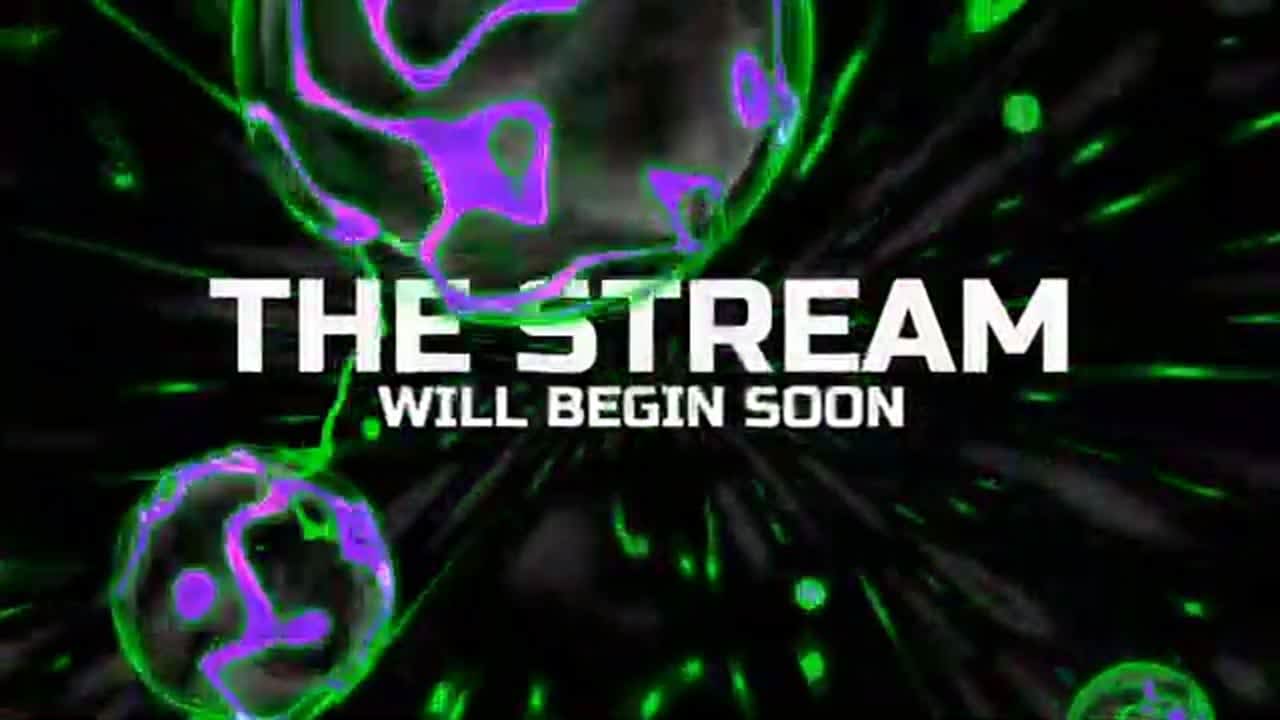
YouTube Banner Size
💡 Key Insight: Also known as “channel art” or “channel header”, a YouTube banner is a cover-style graphic displayed at the top of your YouTube profile. It represents your brand's style and personality.
• Size. 2560 x 1440 px or 2048 x 1152 px
• Format. .JPG, .GIF, .BMP, or .PNG
Get Your YouTube Banner Just Right
• Although YouTube allows you to upload a GIF file as a banner, consider that it will be displayed as a static image on your channel. Additionally, make sure your chosen asset is under 6 MB to ensure the file is supported correctly by the platform.
• Like your profile picture, your banner will be one of the first elements viewers will notice about your page. On top of an eye-catching design, it's also a good idea to include a tagline that sums up your brand or a CTA that invites users to subscribe to your channel.
Youtube Templates
Lorem ipsum dolor sit amet, consectetur adipiscing elit, sed do eiusmod tempor incididunt ut labore et dolore magna aliqua. Egestas tellus rutrum tellus pellentesque eu tincidunt tortor. Non nisi est sit amet facilisis magna etiam tempor orci. Lorem ipsum dolor sit amet consectetur. Et sollicitudin ac orci phasellus egestas tellus rutrum tellus pellentesque. Proin sed libero enim sed faucibus turpis in.


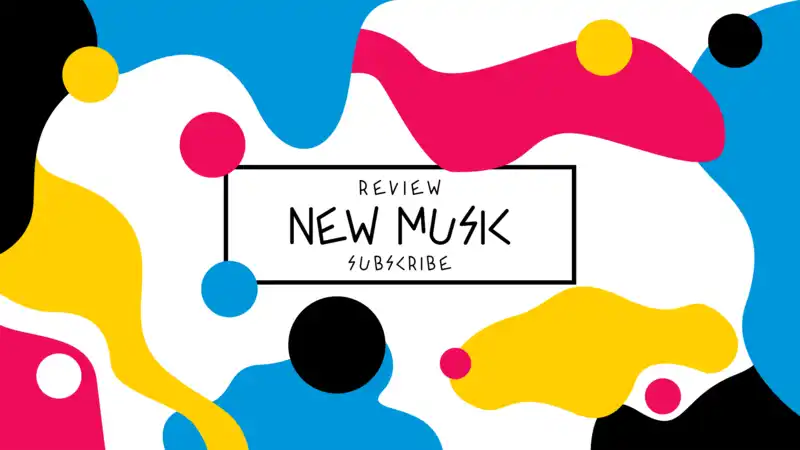

YouTube Video Size
💡 Key Insight: As an online clip, your YouTube video can range from various topics including tutorials, live streams, music, and more. This content can be viewed, liked, shared, and commented on by the platform's community.
• Size. 1920 x 1080 px (16:9 aspect ratio)
• Format. .MOV, .MPEG-1, .MPEG-2, .MPEG4, .MP4, .MPG, .AVI, .WMV, .MPEGPS, .FLV, .3GPP, .WebM, .DNxHR, .ProRes, .CineForm, or .HEVC (h265)
Get Your YouTube Video Just Right
• The standard size of videos on YouTube maintains an aspect ratio of 16:9. If your clip has a different size, the player will automatically change it to match an optimal viewing by adding black bars or padding.
• Consider that, in addition to the optimal YouTube video dimension size, your clip shouldn't exceed 256 GB. Remember, keeping this in check ensures smoother uploads and better playback quality for your audience!
▶️ Keep your YouTube content looking flawless with Placeit's Video Cropper tool!
YouTube Thumbnail Size
💡 Key Insight: A YouTube thumbnail is a snapshot preview of your video that gives potential viewers a sneak peek into your content as they're browsing through the platform.
• Size. 1280 x 720px (16:9 aspect ratio)
• Format. .JPG, .GIF, or .PNG
Get Your YouTube Thumbnail Just Right
• Once you've uploaded your video, the platform will let you choose between automatically generated thumbnails or adding your custom design. To import your file correctly, consider it to be under 2 MB.
• Take into account that audiences tend to scroll through social media on different devices, influencing how the final design is viewed. To ensure this preview looks its best across all screens, the ideal size of a YouTube thumbnail should maintain a 16:9 aspect ratio.
Youtube Templates
Lorem ipsum dolor sit amet, consectetur adipiscing elit, sed do eiusmod tempor incididunt ut labore et dolore magna aliqua. Egestas tellus rutrum tellus pellentesque eu tincidunt tortor. Non nisi est sit amet facilisis magna etiam tempor orci. Lorem ipsum dolor sit amet consectetur. Et sollicitudin ac orci phasellus egestas tellus rutrum tellus pellentesque. Proin sed libero enim sed faucibus turpis in.
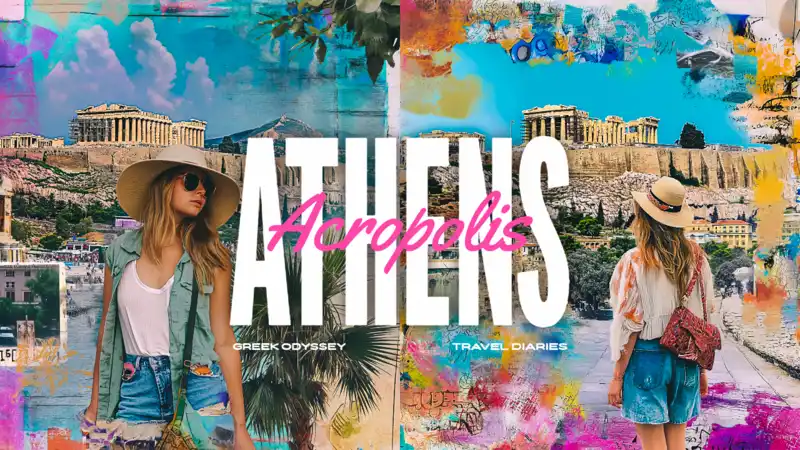


Video Ads
💡 Key Insight: This form of advertisement displays within the platform through different formats and campaigns, such as skippable in-stream ads, non-skippable in-stream ads, and in-feed video ads.
• Size.
- Square. 1080 x 1080 px (1:1 aspect ratio)
- Vertical. 1080 x 1920 px (9:16 aspect ratio)
- Horizontal. 1920 x 1080px (16:9 aspect ratio)
Get Your YouTube Video Ads Just Right
• Ensure your video is optimized for fast loading without compromising its quality. Besides the suggested YouTube video sizes, consider that the platform recommends keeping your file file's size under 256 GB.
• The first few seconds of your ad are crucial, especially if you opted for the skippable in-stream ad option. So, make sure your key message is delivered within the clip's first five seconds (you can streamline the editing process with Placeit's video templates).
💡 Don't Miss: How to Brand Your YouTube Channel
Instagram Size Guide
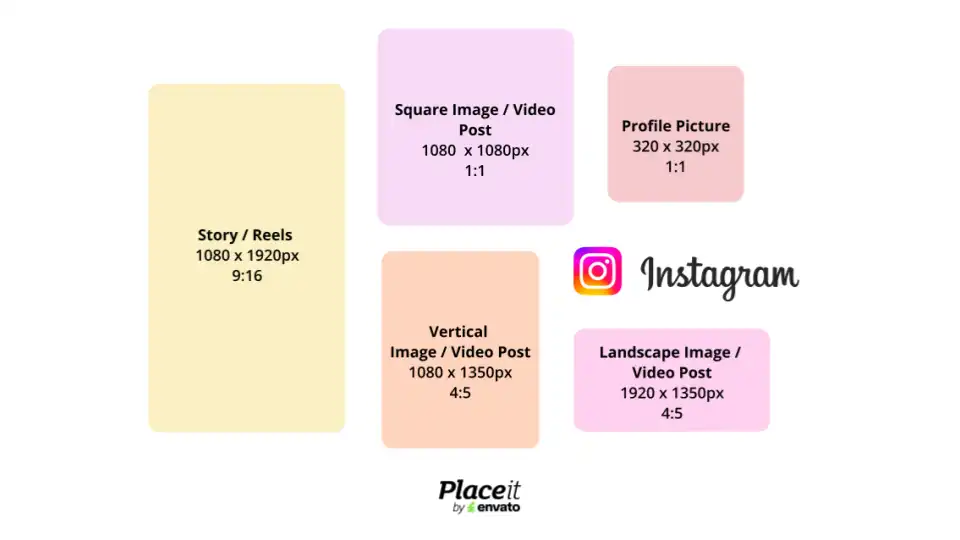
Instagram has over 2 billion monthly users and remains one of the best platforms to connect with audiences through photos, stories, and videos. Along with Facebook (also part of the Meta family!), it has one of the highest Return on Investment (ROI) for social media platforms, making it perfect for showcasing your brand and turning scrolls into sales.
Let's dive into the social media image sizes you'll need to Insta-glam your profile!

🚨 Update Alert! What’s new in 2025: Instagram has officially moved on from the classic square grid and portrait posts (4:5, 1080 × 1350 px) now rule profile pages. More space, more room to shine!
Instagram Profile Picture Size
💡 Key Insight: Your Instagram profile picture is associated with your account, meaning your chosen image or design will be public to everyone, on or off the platform.
• Size. 320 x 320 px (1:1 aspect ratio)
• Format. .JPG, .JPEG, .PNG, or .BMP
Pro Tips for a Flawless Instagram Profile Picture
• Consider that the platform will display your profile picture at 110 x 110 px. However, it's recommended that your chosen Instagram photo size has a higher resolution to maintain its quality. Thus, keeping a 1:1 aspect ratio is the best option for it to stay sharp!
• As with other social media platforms, Instagram maintains a rounded profile picture design. To make it stand out, opt for a simple, clutter-free background that keeps your profile picture looking great, even with a reduced size dimension.
Instagram Post Size
💡 Key Insight: This piece of content will appear on your profile as well as the users' feeds and can include photos, videos, or a combination of both. Instagram posts are often accompanied by captions, hashtags, and location tags.
• Size.
- Vertical. 1080 x 1350 px (4:5 aspect ratio)
- Landscape. 1080 x 566 px (1.91:1 aspect ratio)
Pro Tips for a Flawless Instagram Post
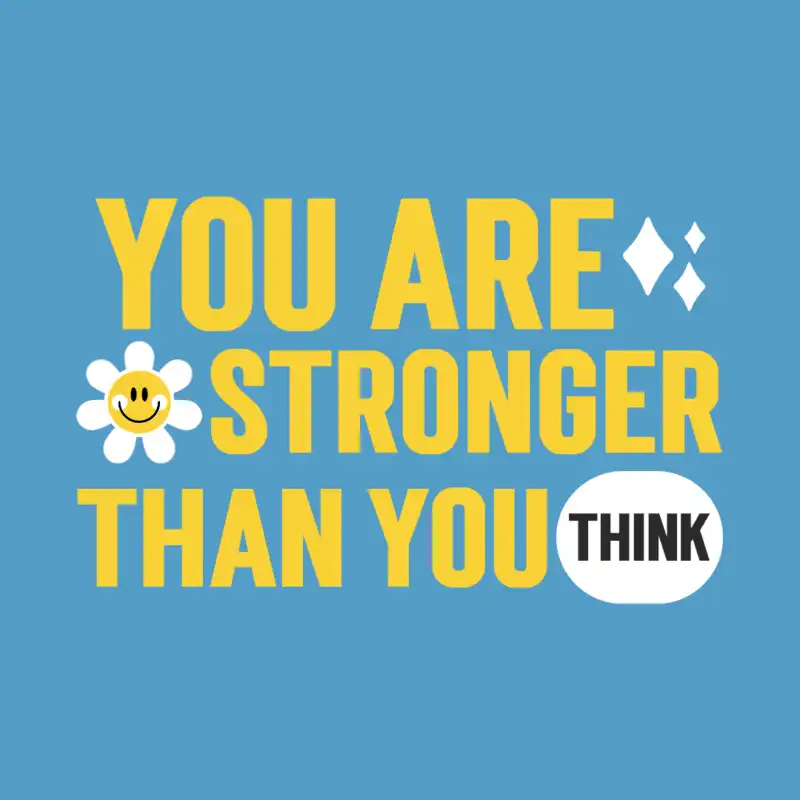
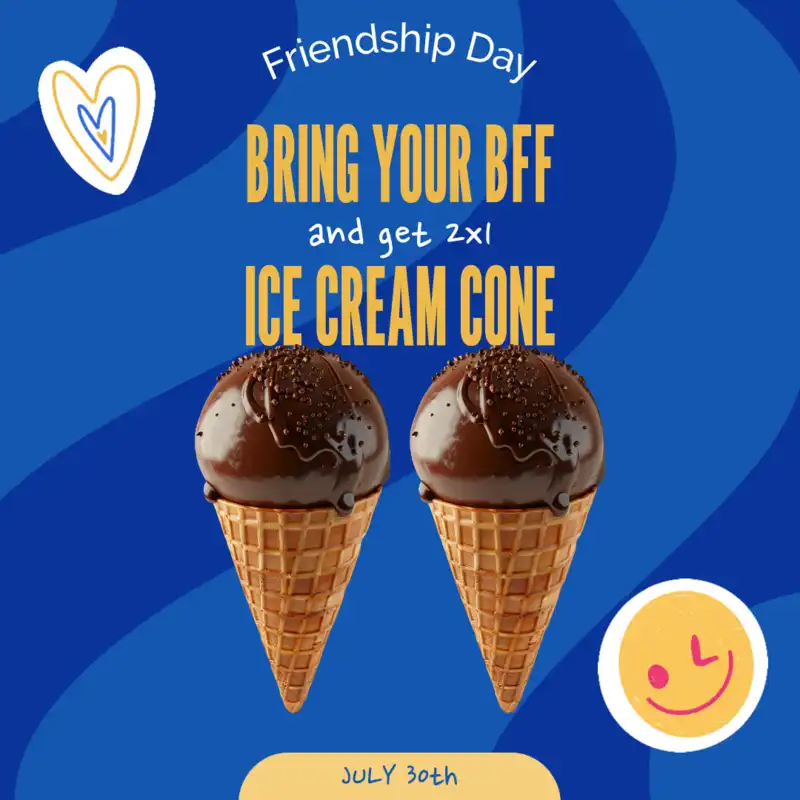
• Make sure your post maintains a consistent look that's cohesive with your branding. For example, use your chosen color palette, fonts, style, and graphics on social media post templates to make your content instantly recognizable and memorable.
• IG supports different content formats, from single-image posts to carousels. So, use this to your advantage! Mix product highlights with behind-the-scenes sneak peeks, UGC, or educational tips to create a well-rounded feed.
😌🔥 Looking for inspo? If you're wondering how to grow social media followers for your business, don't miss out on the Instagram trends that are about to take over your feed this year!
Youtube Templates
Lorem ipsum dolor sit amet, consectetur adipiscing elit, sed do eiusmod tempor incididunt ut labore et dolore magna aliqua. Egestas tellus rutrum tellus pellentesque eu tincidunt tortor. Non nisi est sit amet facilisis magna etiam tempor orci. Lorem ipsum dolor sit amet consectetur. Et sollicitudin ac orci phasellus egestas tellus rutrum tellus pellentesque. Proin sed libero enim sed faucibus turpis in.

Instagram Video Post Size
💡 Key Insight: Similar to an image-based post, Instagram in-feed videos will appear both on your profile and to users as they navigate through the platform. Their size format also includes square, landscape, or vertical orientations.
• Size.
- Square. 1080 x 1080px (1:1 aspect ratio)
- Landscape. 1080 x 566px (1.91:1 aspect ratio)
- Vertical. 1080 x 1350px (4:5 aspect ratio)
Pro Tips for a Flawless Instagram Video Post
• In-feed Instagram videos can range between 3 seconds and up to 60 minutes. But remember, timing is a must! We recommend keeping your clips short to capture your viewers' attention through concise, yet effective messaging.
Instagram Story Size
💡 Key Insight: This is a platform feature that allows users to share content such as videos or photos in a slideshow format. Instagram stories are displayed at the top of a user's feed and remain visible for 24 hours.
• Size. 1080 x 1920 px (9:16 aspect ratio)
• Format. .JPG, .PNG, .MP4, .MOV, or .GIF
Pro Tips for a Flawless Instagram Story
• Again, time is key! Consider that Instagram stories featuring videos can last up to 60 seconds, while shared images have a maximum length of 7 seconds. After their 24-hour period, stories will disappear unless saved on your "Highlights".
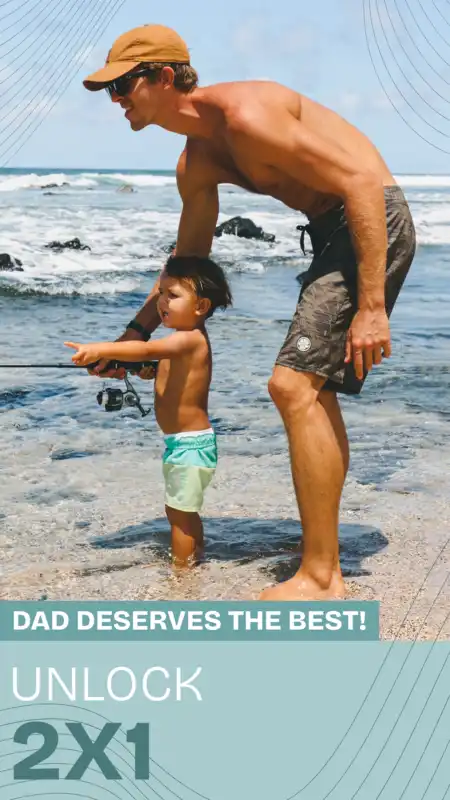
• You can complement your story by including interactive elements such as stickers, polls, questions, mentions, music, links, and hashtags. This feature is a dynamic and engaging way to share real-time updates, so make the most out of it!
Youtube Templates
Lorem ipsum dolor sit amet, consectetur adipiscing elit, sed do eiusmod tempor incididunt ut labore et dolore magna aliqua. Egestas tellus rutrum tellus pellentesque eu tincidunt tortor. Non nisi est sit amet facilisis magna etiam tempor orci. Lorem ipsum dolor sit amet consectetur. Et sollicitudin ac orci phasellus egestas tellus rutrum tellus pellentesque. Proin sed libero enim sed faucibus turpis in.



Instagram Reels Size
💡 Key Insight: Reels are short, engaging videos that last up to 90 seconds and allow users to record original clips, integrate music or audio, and edit them to share with friends.
• Size. 1080 x 1920px (9:16 aspect ratio)
• Format. .MP4, .MOV, or .GIF
Pro Tips for a Flawless Instagram Reel
• In a rush? You can create Instagram Reels by using the platform's built-in templates. These assets allow you to use the same music and timing as the original, and switch them with your own photos and videos. Just a heads up, you'll need at least 3 clips.
• Tune in to the beat! You can record a Reel with your own original sound, an audio by another creator, or music clips from the Instagram library. Do consider that if your account is set to public, others can use your original audio on their Reels too.
😊💡 Next Stop: How to Make Instagram Reels That Reel-Ly Go Viral
Instagram Story Ads Size

💡 Key Insight: This is a form of advertisement, whether image or video-based, that appears within Instagram stories and is meant to boost awareness, traffic, sales, leads, and engagement through features such as swipe-up links.
• Size. 1080 x 1920px (9:16 aspect ratio)
• Format. .JPG, .PNG, .MP4, .MOV
Pro Tips for a Flawless Instagram Story Ad
• Quick reminder! Consider that to create a story ad, you'll need to have a professional account on Instagram. You can either set it up to “Business” or “Creator” mode to unlock different features, such as a dashboard with special tools and insights to track your profile's performance.
• Once in Instagram's Ad Manager, after you start creating your ad, you'll be asked to select an objective that supports your content's placement. These include “Awareness”, “Traffic”, “Engagement”, “Leads”, “App promotion”, and “Sales”. So, for example, if your goal is for users to contact your business's website, your best option would be “Leads”.
Instagram Feed Ads Size
💡 Key Insight: This type of advertisement appears directly in a user's feed, blending seamlessly with organic posts. Feed ads can be photos, videos, or carousels and you can opt to include a caption that will be displayed on a bottom sheet when someone taps on the content.
• Size.
- Square. 1080 x 1080px (1:1 aspect ratio)
- Landscape. 1080 x 566px (1.91:1 aspect ratio)
- Vertical. 1080 x 1350px (4:5 aspect ratio)
Pro Tips for a Flawless Instagram Feed Ad
• Just like a story ad, you'll need to set up a professional Instagram account to start creating this form of promotional content. Remember that if you've linked a Facebook page to this account, you'll only be able to share your IG posts to FB through that page, not to a different profile.
• Less is more! As we've mentioned, you can include a caption that will appear at the bottom of the feed ad when users tap on it. This text has a maximum length of 11,000 characters. So, make the most out of it by keeping your message concise and engaging.
Youtube Templates
Lorem ipsum dolor sit amet, consectetur adipiscing elit, sed do eiusmod tempor incididunt ut labore et dolore magna aliqua. Egestas tellus rutrum tellus pellentesque eu tincidunt tortor. Non nisi est sit amet facilisis magna etiam tempor orci. Lorem ipsum dolor sit amet consectetur. Et sollicitudin ac orci phasellus egestas tellus rutrum tellus pellentesque. Proin sed libero enim sed faucibus turpis in.


💡 Keep Reading: The Hottest Instagram Marketing Guide!
Facebook Size Guide
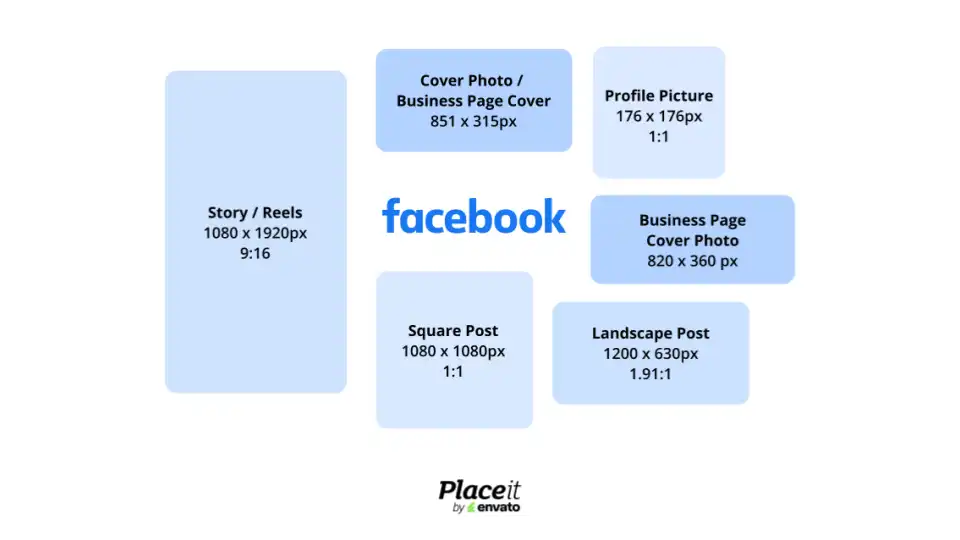
As an all-time favorite and with over 3 billion monthly users, Facebook is still one of the best platforms for building community and promoting your brand. From feed posts to ads, getting your social media image sizes right is key to making a great impression.
Ready to post like a pro? Here's our guide for Facebook image sizes to elevate your content!


Facebook Profile Picture Size
💡 Key Insight: Your Facebook profile picture is an image that represents your account or business page on the platform. Your chosen image will appear as a circular thumbnail next to your name in posts, comments, and messages.
• Size. 176 x 176 px (1:1 aspect ratio)
• Format. .JPG or .PNG
Perfecting Your Facebook Profile Picture
• Your chosen profile picture will display at 176 x 176 px on computers, 196 x 196 px on smartphones, and 36 x 36 px on other feature phones. That's why a 1:1 aspect ratio is the best option to keep your image looking clear and polished across all devices.
• If opting for a logo as a profile picture, it's recommended that you upload your image in a PNG file to maintain its resolution and quality. Remember, with Placeit's logo templates, you'll receive two versions of your final design, the original asset plus a background-free option, both in PNG format.
Facebook Cover Photo Size | Business Page Cover Photo
💡 Key Insight: A Facebook cover displays as a large, rectangular banner at the top of your personal profile or business page. It serves as a backdrop for your profile picture, complementing your brand by showcasing a key message, promotional services, a tagline, etc.
• Size.
- 851 x 315px
- 820 x 360 px
- 820 x 312 px
Perfecting Your Facebook Cover Photo
• Don’t forget to include important details like your website’s URL, upcoming events, or promotions. As a tip, try to keep text to a minimum and strategically place it to avoid clutter and aim for effective messaging.
• Update your Facebook cover photo periodically to reflect seasonal changes, new promotions, or significant updates regarding your brand. This helps keep your profile looking current, fresh, and engaging. As a tip, you can always use Placeit's social media templates and refine your options by using our search tags covering different categories.
Youtube Templates
Lorem ipsum dolor sit amet, consectetur adipiscing elit, sed do eiusmod tempor incididunt ut labore et dolore magna aliqua. Egestas tellus rutrum tellus pellentesque eu tincidunt tortor. Non nisi est sit amet facilisis magna etiam tempor orci. Lorem ipsum dolor sit amet consectetur. Et sollicitudin ac orci phasellus egestas tellus rutrum tellus pellentesque. Proin sed libero enim sed faucibus turpis in.



Facebook Post Size
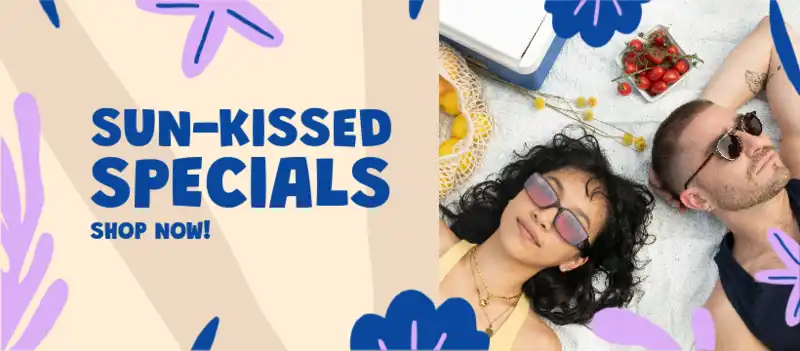
💡 Key Insight: Facebook posts are public pieces of content posted to a user's audience through the platform's timeline, a group feed, or a specific person's profile page. They serve as a way of sharing updates, thoughts, and announcements within the Facebook community.
• Size.
- 1200 x 630 px (1.91:1 aspect ratio)
- 1080 x 1080 px (1:1 aspect ratio)
Perfecting Your Facebook Post
• Share content that encourages interaction with the Facebook community. For example, behind-the-scenes posts, customer stories, or your journey as an entrepreneur or content creator.
• Accompany your posts with clear and concise captions to capture your viewers' attention as they're scrolling through the platform. As a tip, you can integrate popular keywords into your text to enhance their visibility and relevance.
Youtube Templates
Lorem ipsum dolor sit amet, consectetur adipiscing elit, sed do eiusmod tempor incididunt ut labore et dolore magna aliqua. Egestas tellus rutrum tellus pellentesque eu tincidunt tortor. Non nisi est sit amet facilisis magna etiam tempor orci. Lorem ipsum dolor sit amet consectetur. Et sollicitudin ac orci phasellus egestas tellus rutrum tellus pellentesque. Proin sed libero enim sed faucibus turpis in.


Facebook Story Size
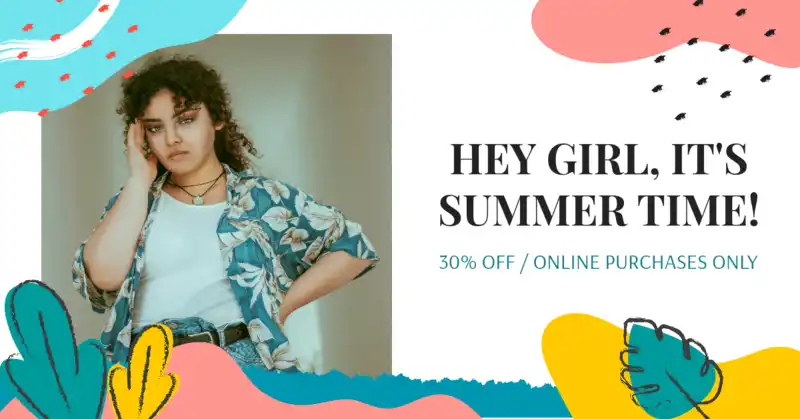
💡 Key Insight: Facebook stories allow you to share sneak peeks with your followers, whether through photos or videos, you can edit by adding music, text, and filters. They're only visible for 24 hours at the top of a user's feed. After that time, you can revisit them in your story archive.
• Size. 1080 x 1920 px (9:16)
• Format. .JPG, .PNG, .MP4, or .MOV
Perfecting Your Facebook Story
• Stories are the perfect way to keep your followers in the loop about new content and collaborations. If you're a content creator, use this opportunity to share behind-the-scenes glimpses of your life or teasers about exciting creative projects.
• On the other hand, if you're a business owner or entrepreneur, leverage Facebook stories to drop exclusive offers, announce upcoming releases, or post expert tips related to your industry to engage with your audience.
Facebook Reel Size
💡 Key Insight: Reels are short-form videos that can last up to 90 seconds. uUsers can share them with their Facebook friends or a specific audience.
• Size. 1080 x 1920 px (9:16)
• Format. .MP4
Perfecting Your Facebook Reel
• While descriptions on Reels are optional, it's a great way to integrate popular keywords into your content. That way, audiences have a higher chance of discovering your clips when searching for related topics.
• You can upload a video from your computer as a Reel. Nevertheless, if you want to edit clips, add effects, or incorporate music, it's best to use Facebook directly from your mobile app.
Facebook Event Cover Photo Size
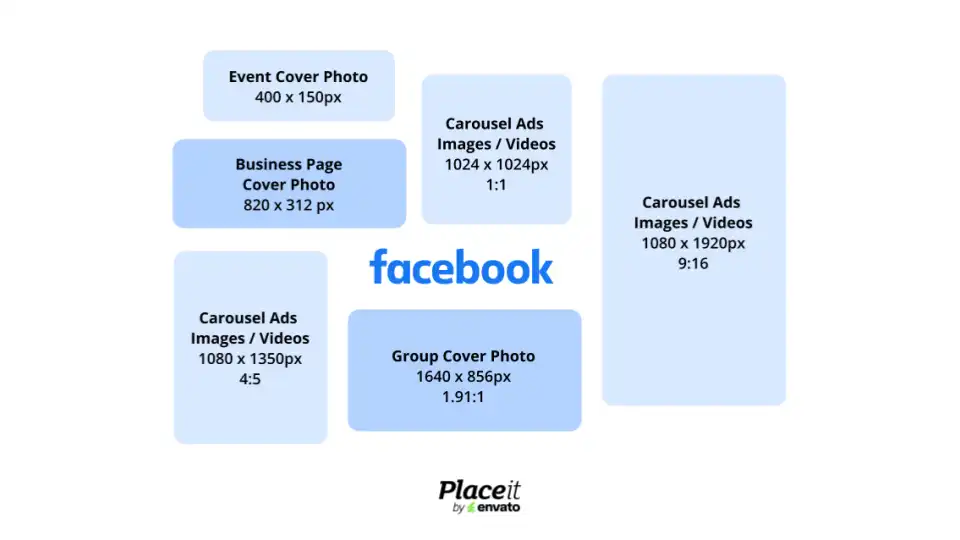
💡 Key Insight: When you host an event, you can include a cover photo that will be displayed as a banner image at the top of the Facebook page. This photo or design will serve as a snapshot of what attendees can expect.
• Size.
- 400 x 150 px
- 1920 x 1005 px (16: 9 aspect ratio)
Perfecting Your Facebook Event Cover Photo
• As with other social media assets, try to maintain a simple and focused design. Avoid cluttering the image with too much text or elements. If needed, include a short CTA such as “RSVP Now” or “Learn More,” to drive engagement and encourage users to join in.
• Opt for an image, mockup, or photo that visually represents the theme or purpose of the event. Whether it's a product launch or a pop-up, make sure the cover aligns with your brand and the happening.
Facebook Group Cover Photo Size
💡 Key Insight: This is the banner image that will be displayed at the top of a Facebook group page. The chosen photo or design showcases the purpose of said group, whether it's a community, club, or professional network, to lay out a few examples.
• Size. 1640 x 856 px (1.91:1 aspect ratio)
• Format. .JPG or .PNG
Perfecting Your Facebook Group Cover Photo
• Facebook groups cover a wide range of interests and niches. So, opt for a template for social media that reflects the overall theme of the community you're building, whether it's style, traveling, or business.
• If necessary, add visual cues and important information like the group's name, a tagline, or a brief description. Keep text to a minimum and ensure it is easy to read for visibility across different screen sizes.
Facebook Image Carousel Ads Size
💡 Key Insight: This type of promotional content showcases two or more images in a single Facebook ad, each with its own headline, description, link, and CTA.
• Size.
- 1024 x 1024 px (1:1 aspect ratio)
- 1080 x 1350 px (4:5 aspect ratio)
- 1080 x 1920 px (9:16 aspect ratio)
Perfecting Your Facebook Image Carousel Ad
• You'll want to jot this down! The minimum number of carousel cards for Facebook is two, and the maximum is 10. Additionally, for this type of content, the platform supports images up to 30 MB.
• Remember, less is more! Your carousel ads can be up to 125 characters for text, 40 characters for headlines, and 25 characters for link descriptions. This means you should aim for concise yet effective messaging.
Youtube Templates
Lorem ipsum dolor sit amet, consectetur adipiscing elit, sed do eiusmod tempor incididunt ut labore et dolore magna aliqua. Egestas tellus rutrum tellus pellentesque eu tincidunt tortor. Non nisi est sit amet facilisis magna etiam tempor orci. Lorem ipsum dolor sit amet consectetur. Et sollicitudin ac orci phasellus egestas tellus rutrum tellus pellentesque. Proin sed libero enim sed faucibus turpis in.


Facebook Video Carousel Ads Size
💡 Key Insight: Similar to its image-based counterpart, video carousels display two or more clips in a single ad, each one including a headline, description, link, and CTA.
• Size.
- 1024 x 1024 px (1:1 aspect ratio)
- 1080 x 1350 px (4:5 aspect ratio)
- 1080 x 1920 px (9:16 aspect ratio)
Perfecting Your Facebook Video Carousel Ad
• Just like image ads, this type of promotional content allows you to use between two and ten carousel cards. Do keep in mind that even though the whole video length can last up to 240 minutes, Facebook recommends maintaining a 15-second total duration.
• Besides considering the Facebook ad size for videos, take into account that the platform supports clips up to a maximum of 4 GB. As we recommended in our Instagram section, you can always opt for compressing your content to ensure it's easily imported.
💡 Next Up: This Is Your Facebook Marketing 101 Guide!
X / Twitter Size Guide
With more than 600 million monthly users, X (formerly Twitter) is the place for real-time updates and trending conversations. Its fast-paced, short-form content makes it ideal for quick brand interactions, so let's make sure your visuals are sized right to make every post count.
Want to make your way to success on X? Here's everything you need to know about its social media image sizes.

X / Twitter Profile Picture Size
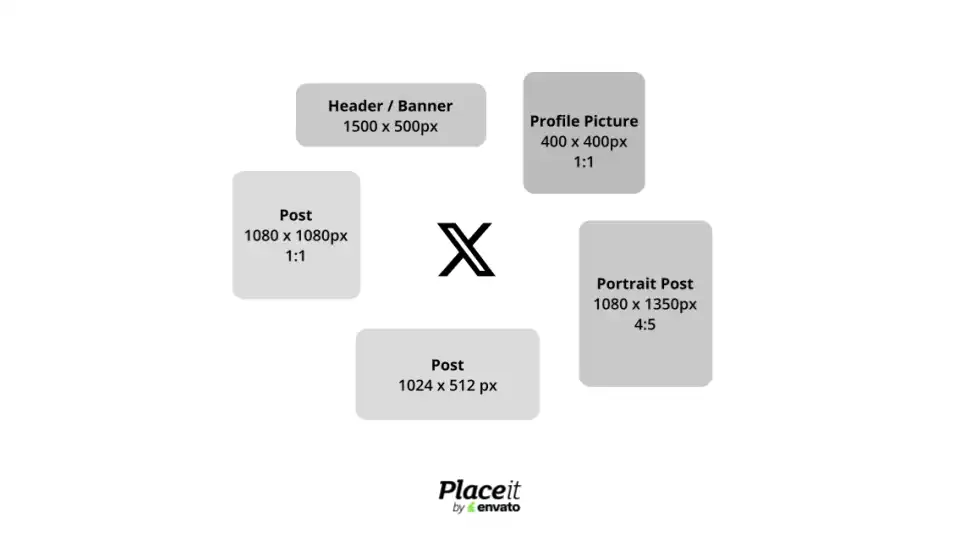
💡 Key Insight: This is the personal image uploaded to your X / Twitter profile from your “Settings” tab. It is displayed in a round format at the top left corner of your page.
• Size. 400 x 400 px (1:1 aspect ratio)
• Format. .JPG, .GIF, or .PNG
Crafting the Perfect X / Twitter Profile Picture
• It's best to stick to a 1:1 X / Twitter picture size to keep your profile image looking just like the original. Remember, the final image will be cropped into a circle, so make sure to keep the main graphics centered to avoid losing any important details around the edges.
• Your selected image is meant to complement your profile and reflect what your account is all about. Finish setting up your page by adding your name, bio, and a website link wherever you want to direct potential users.
X / Twitter Header Size
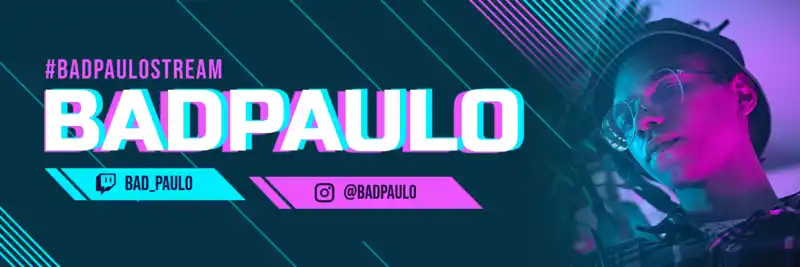
💡 Key Insight: Also known as “banner”, a Twitter header is the image displayed at the top of your X / Twitter profile. It allows you to personalize your page and give visitors an additional glimpse into your account.
• Size. 1500 x 500 px
• Format. .JPG, .GIF, or .PNG
Crafting the Perfect X / Twitter Header
• Like your X / Twitter profile picture, GIF formats are allowed on a banner but won't be displayed as animations. Instead, it's recommended to use a static graphic that aligns cohesively with your branding and the rest of your profile.
• Make the most out of the X / Twitter banner size by highlighting key information like mentions to your other social media profiles, upcoming events, or a subtle CTA. Remember, first impressions matter and this is your chance to hook viewers!
Youtube Templates
Lorem ipsum dolor sit amet, consectetur adipiscing elit, sed do eiusmod tempor incididunt ut labore et dolore magna aliqua. Egestas tellus rutrum tellus pellentesque eu tincidunt tortor. Non nisi est sit amet facilisis magna etiam tempor orci. Lorem ipsum dolor sit amet consectetur. Et sollicitudin ac orci phasellus egestas tellus rutrum tellus pellentesque. Proin sed libero enim sed faucibus turpis in.


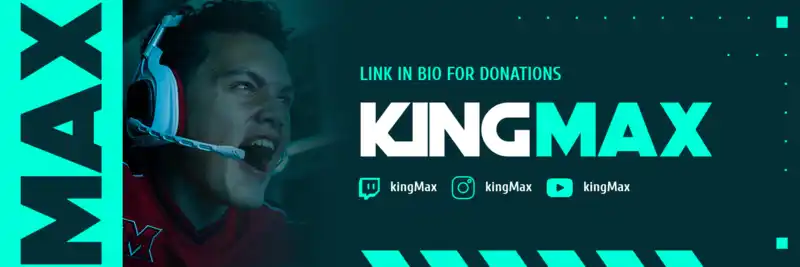
X / Twitter Post Size (Images & Videos)
💡 Key Insight: Previously known as “tweets”, X posts are brief messages shared on the platform that can include text, images, videos, GIFs, or links.
• Size.
- 1024 x 512 px
- 1080 x 1080 px (1:1 aspect ratio)
- 1080 x 1350 px
Crafting the Perfect X / Twitter Post
• Is there a limit for images and videos? We're glad you ask! Each post can contain up to four photos or clips. So, be mindful of the content you want to showcase with X users to select the options that truly capture your message.
• As of 2025, X has a 280-character limit. Nevertheless, if you're a member of Twitter Blue in the US, you can use up to 4,000 characters to create longer posts. As a quick note, they'll be displayed with a “Show more” prompt so users can browse through the whole content.
Youtube Templates
Lorem ipsum dolor sit amet, consectetur adipiscing elit, sed do eiusmod tempor incididunt ut labore et dolore magna aliqua. Egestas tellus rutrum tellus pellentesque eu tincidunt tortor. Non nisi est sit amet facilisis magna etiam tempor orci. Lorem ipsum dolor sit amet consectetur. Et sollicitudin ac orci phasellus egestas tellus rutrum tellus pellentesque. Proin sed libero enim sed faucibus turpis in.

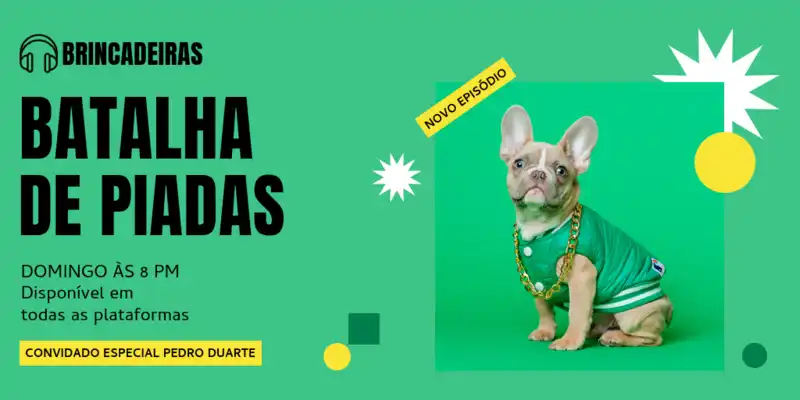
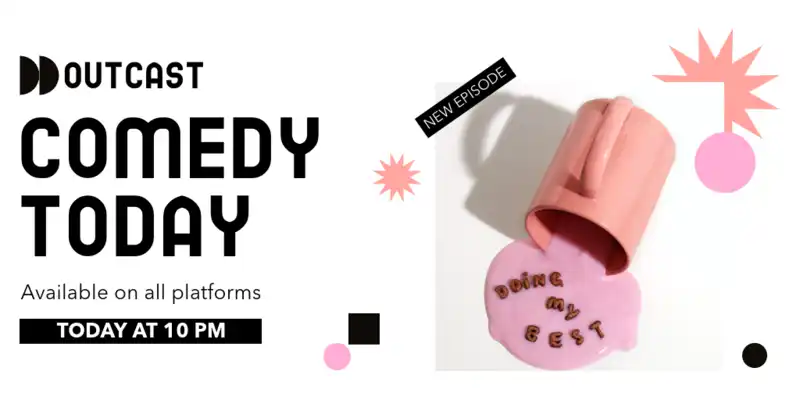
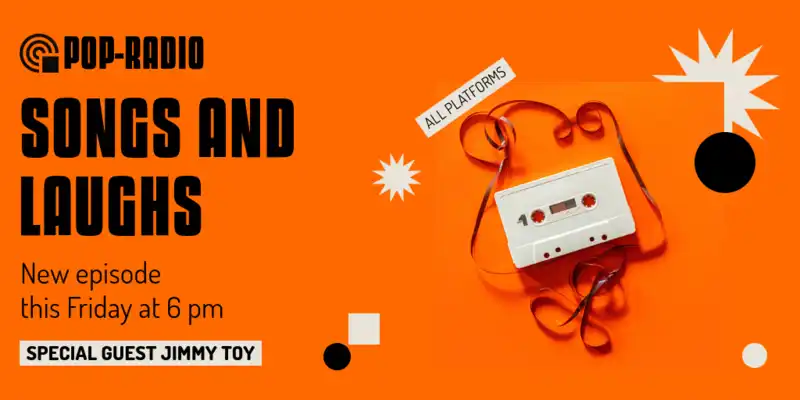
X / Twitter Image Ads Size

💡 Key Insight: Image ads allow you to share promotional content regarding your brand, product, or service with a single photo. They appear in users' feeds labeled as “Promoted,” and viewers can interact with them by reposting, liking, or replying.
📌 Quick Note: Not all of the ad formats listed below are available for self-serve advertisers. For more information, head to the Account Manager on your X profile.
• Size.
- Standalone Image Ads. 1200 x 628 px (1.91:1 aspect ratio) or 1200 x 1200 px (1:1 aspect ratio)
- Image Ads With App Buttons. 800 x 418 px (1.91:1 aspect ratio) or 800 x 800 px (1:1 aspect ratio)
- Image Ads With Conversation Buttons. 800 x 418 px (1.91:1 aspect ratio)
- Image Ads With Polls. 800 x 418 px (1.91:1 aspect ratio) or 800 x 800 px (1:1 aspect ratio)
- Image Ads With Website Buttons. 800 x 418 px (1.91:1 aspect ratio) or 800 x 800 px (1:1 aspect ratio)
Crafting the Perfect X / Twitter Image Ads
• Make every word count on your ad! Consider that it has a 280-character limit. However, if you include a link, it reduces the count by 23 characters. This leaves you with 257 letters to craft the ultimate copy.
• Besides the X / Twitter image size for ads, take into account that your chosen photo shouldn't exceed 5 MB. Worried about the quality of your visuals? Not a problem! Larger images will be better optimized for when users tap to expand them.
X / Twitter Image Carousel Ads Size
💡 Key Insight: Carousel ads let you showcase up to 6 swipeable images, perfect for promoting different products or services. This format creates a smooth, cohesive visual experience for audiences.
• Size.
- 800 x 800 px (1:1 aspect ratio)
- 800 x 418 px (1.91:1 aspect ratio)
Crafting the Perfect X / Twitter Image Carousel Ads
• To create an image-based carousel ad, you'll need at least 2 visual assets. Make the most out of this format by crafting a clear visual narrative. For instance, you can start by showcasing a situation where your product/service might be needed, then highlight its features, and end with a compelling CTA.
• Complement your chosen visuals with an engaging description that entices users. Remember, if you choose to add a link, you'll have 257 characters available to craft your copy.
Youtube Templates
Lorem ipsum dolor sit amet, consectetur adipiscing elit, sed do eiusmod tempor incididunt ut labore et dolore magna aliqua. Egestas tellus rutrum tellus pellentesque eu tincidunt tortor. Non nisi est sit amet facilisis magna etiam tempor orci. Lorem ipsum dolor sit amet consectetur. Et sollicitudin ac orci phasellus egestas tellus rutrum tellus pellentesque. Proin sed libero enim sed faucibus turpis in.


X / Twitter Video Ads Size
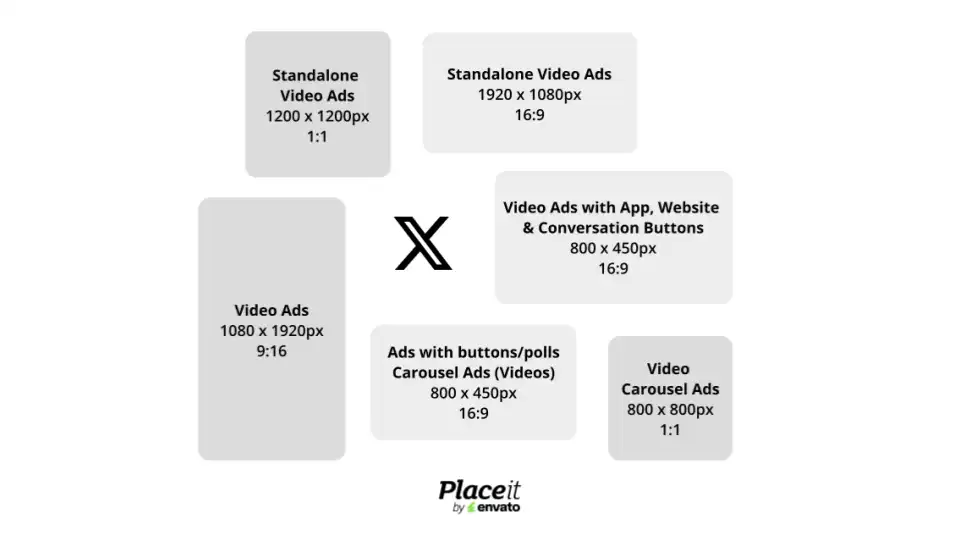
💡 Key Insight: Video ads help you showcase your brand through a high-quality, visually engaging clip. As with image ads, they appear in users' feeds with a “Promoted” label and the X community can interact with them by reposting, liking, or replying.
• Size.
- Standalone Video Ads. 1920 x 1080 px (16:9 aspect ratio) or 1200 x 1200 px (1:1 aspect ratio)
- Video Ads With Website Buttons. 800 x 450 px (16:9 aspect ratio) or 800 x 800 px (1:1 aspect ratio)
- Video Ads With App Buttons. 800 x 450 px (16:9 aspect ratio) or 800 x 800 px (1:1 aspect ratio)
- Video Ads With Conversation Buttons. 800 x 450 px is (16:9 aspect ratio)
- Video Ads With Polls. 800 x 450 px (16:9 aspect ratio) or 800 x 800 px is (1:1 aspect ratio)
Crafting the Perfect X / Twitter Video Ads
• Time to take notes! X supports video ads up to 1 GB. However, the platform recommends clips under 30 MB to maintain optimal performance as they're uploaded to the users' feeds.
• If you're creating branded content, X suggests including your logo design in the upper left corner of your video. This type of placement enhances visibility, ensuring your branding remains prominent and easily identifiable.
X / Twitter Video Carousel Ads Size
💡 Key Insight: Video carousel ads enable you to compile up to 6 clips into a swipeable slideshow format to promote your intended product or service.
• Size.
- 800 x 800 px (1:1 aspect ratio)
- 800 x 450 px (16:9 aspect ratio)
Crafting the Perfect X / Twitter Video Carousel Ads
• Remember, brevity is key! While you can upload clips up to 140 seconds, X recommends keeping each video under 15 seconds. This way, you have a higher chance of maintaining your viewers' attention span.
• Aim to showcase your product or service's unique features and benefits through the video's visual elements. We're talking about captions, graphics, transitions, and other creative aspects.
💡 Did you know…? When using carousel ads, you can mix both images and videos, maintaining its 6-slide limit. Just make sure you use the same aspect ratio for all visual assets.
TikTok Size Guide

Whether jumping on the latest trend or filming the next viral clip, TikTok has changed the social media game, with users enjoying this platform's endless stream of short videos. From style to DIY hacks, traveling, sports, art, or cooking, there's a spot and interest for everyone in this app.
With this in mind, let's jump over TikTok's social media sizes to make sure your content looks pro and ready to go viral.

TikTok Profile Picture Size
💡 Key Insight: Your TikTok profile picture appears as a round-format image alongside videos in your feed, comments, and likes. It represents your account as a content creator, business owner, or brand.
• Size. 200 x 200 px (1:1 aspect ratio)
• Format. .JPG, .JPEG, or .PNG
Golden Advice to Elevate Your TikTok Profile Picture
• If you have a personal account where you'd like to share about your everyday life, you may want to opt for a more casual picture that reflects your personality. For instance, a snapshot of you enjoying a hobby can make your profile feel more relatable.
• Alternatively, if you plan to set up a business account, opting for a professional-looking picture like a brand logo is best. That way, you'll build awareness and reinforce your business's identity on social media.
TikTok Video Size
💡 Key Insight: TikTok videos are short-form content pieces, either in single shorts or edited segments, that users can create and share on the platform. These clips are displayed on their profiles and their followers For You Page (FYP).
• Size. 1080 x 1920 px (9:16 aspect ratio)
• Format. .MP4, .WebM, or .MOV
Golden Advice to Elevate Your TikTok Video
• Optimize your videos for the platform's algorithm by implementing TikTok SEO. For example, including relevant keywords in hashtags, video captions, and on-screen text can help improve your content’s visibility.
• Make the most out of TikTok's built-in editing tools to enhance your clips. If you're a newbie on this platform, you might want to take a peek at our beginner-friendly guide to create professional-looking videos.
TikTok Video Ads Size
💡 Key Insight: TikTok ads serve as paid marketing campaigns that help businesses target specific audiences within the platform. This promotional content appears between organic videos marked with a "Sponsored" label and a CTA.
• Size. 1080 x 1920px (9:16 aspect ratio)
• Format. .MP4, .MOV, .MPEG, .3GP, or .AVI
Golden Advice to Elevate Your TikTok Ads
• First things first! Take into consideration that this type of promotional content is only available for TikTok business accounts. Now, here are the good news! You can create one for free and unlock exclusive tools and features for brands.
• As with other social media apps, brevity speaks volumes! TikTok ads can last between 5 to 60 seconds. However, the platform suggests creating clips that range from 9 to 15 seconds as they often perform better.
Free Templates for Social Media
We've got a few more surprises for you! Browse our collection of free social media templates — designed to save you time and help your brand look amazing! Explore free Facebook cover photos, IG posts, YouTube intros, and more.
📌 Heads Up: Our freebie collection gets refreshed often, so if something catches your eye, make sure to snag it before it disappears!

Create a Social Media Presence With Placeit by Envato
Let's face it: if your brand isn't on social media, you're missing out big time! But don't worry, it doesn't have to be overwhelming. Learning how to build a brand on social media is easy when you've got the right set of creative tools, designs, and templates at your fingertips.
Let's see just how easy it is to craft a scroll-stopping brand with Placeit:
1. Start Strong With a Custom Brand Identity
Branding? We've got you covered! At Placeit, you’ll find thousands of brand assets such as customizable logos, promotional materials, and mockups to showcase your brand. Want to know the best part? All our templates are tailored to different industries and niches, ready to be customized — no design experience needed!
Nail Your Brand Look!
2. Choose Colors That Match Your Brand Vibe
Choosing the right colors is key to creating a recognizable and consistent brand, and don't worry, you don't need to be a design expert to get it right. Head to Colors by Placeit, where our talented creative team has created curated color palettes you can easily apply to your business logo, designs, and social media templates to create a polished, on-brand look.
Colors by Placeit3. Keep It Consistent With Branded Social Media Templates
At Placeit by Envato, we understand that growing your brand as an entrepreneur or content creator takes a lot of dedication and effort, especially in the digital world. We're here to help you hit all your goals! Our social media templates streamline the design process, letting you create top-tier content for every major platform. No editing skills are necessary!
Find Social Media Templates!

Last Words
Remember, achieving the right social media sizes is just the beginning —creativity, consistency, and strategy will take you the rest of the way. And don't worry, we're here to guide you through every step! Take your brand to new heights with Placeit's ever-growing library of templates for social media, design templates, videos, mockups, logos, and all the assets you need to take over the digital world.
Tools


Background Remover
Instantly remove backgrounds from any JPG or PNG image with our new image background remover powered by AI.
Remove


Blank Canvas
Create your own designs from scratch with our blank canvas design tool.
Design

Image Cropper
Crop any JPG or PNG image in seconds with our free image resizer tool.
Crop

Video Cropper
Effortlessly crop any MP4 or MOV video with our online video cropper tool.
Crop

Video to Gif Converter
Convert any MP4 or MOV video to GIF with our online video to GIF converter tool.
Convert
What They Say About Us


